Skip to content

Custom theme implementation

Design your store around your brand.

Send your references, colors, logo, and layout priorities. Vacto reviews the brief and implements a storefront theme within the platform's supported architecture.

Included with Pro every 6 months 500 EGP per request on Lite

Create an account or sign in, then choose the store for this request.

Example design brief

Brand
ZĀRI
Palette
Deep green · warm gold · cream
Catalog
Jewelry with image-led collections
Priority
Mobile browsing and clear product focus
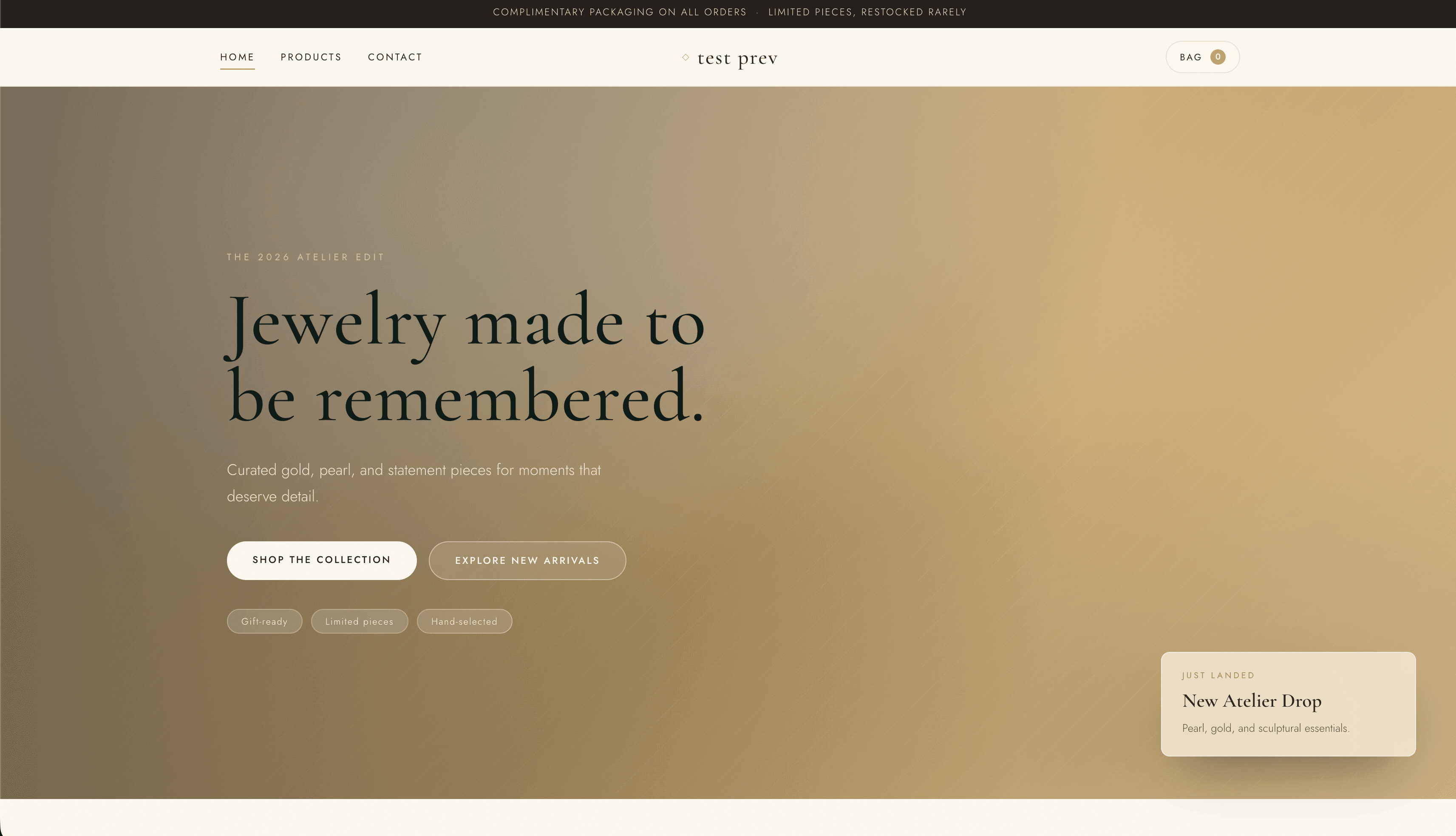
ZĀRI theme preview
A concrete brief beside ZĀRI, a current published Vacto theme. Editorial jewelry atelier — pearl & champagne luxury. Custom results depend on the approved request and supplied assets.

Process

From brief to a theme you can publish.

The request, review, implementation, and handoff remain separate so scope and responsibility are clear.

  1. 01

    Submit your references

    Upload screenshots, website links, logos, colors, fonts, and layout notes.

  2. 02

    Vacto reviews the request

    The team checks scope, required assets, feasibility, and missing information.

  3. 03

    Your theme is implemented

    Vacto builds the storefront direction with its ready-theme architecture and structured editor system.

  4. 04

    Review and publish

    Preview the result, provide the feedback allowed for the approved scope, then publish it to your store.

Reference kit

Send evidence, priorities, and constraints.

The request form accepts up to ten store-owned reference images plus public links and written requirements.

01Visual direction
Full-page screenshots, mobile references, and public inspiration links.
02Brand assets
A usable logo, product photography, exact color values, and font preferences.
03Store priorities
Required pages, hero and navigation priorities, product-card needs, and constraints.

Plans and pricing

Choose how to request your custom theme.

Both paths lead to the same managed review and implementation workflow. The difference is how the request is funded.

Pro

Included benefit

One request every 6 months

  • Included in an active Pro subscription
  • One eligible request per 6-month period
  • Upload references and requirements
  • Vacto review and implementation
  • One store-specific result
  • Eligibility follows current subscription status and the existing cooldown

Lite

One-time service

500 EGP per request

  • Available with an active Lite subscription
  • Upload references and requirements
  • Submit manual payment proof
  • Vacto reviews payment and request
  • Implementation starts after approval
  • Each approved payment covers one store/theme project

How the Pro inclusion works

The cooldown belongs to the store, not a page visit.

The store needs an active Pro subscription. Submitting an included request reserves the current six-month slot and stores its eligibility-period end on the request.

Starting or changing a plan does not itself erase request history. A rejected request is excluded from cooldown counting. Extra Pro requests are not automatically sold during cooldown; the self-serve flow remains blocked.

Clear scope

A storefront implementation, with boundaries you can plan around.

The approved request defines the actual scope. These lists describe the supported direction without promising every item for every external reference.

What the service can cover

  • Custom homepage visual direction
  • Store header and navigation styling
  • Hero, promotional, and category sections within the supported architecture
  • Colors, typography, logo placement, and store-specific images
  • Product-card presentation
  • Responsive desktop and mobile layouts
  • Structured theme-editor fields supported by the delivered theme

What it does not automatically include

  • Exact copying of copyrighted websites
  • Custom backend features or external app development
  • Unsupported payment or shipping integrations
  • Unlimited revisions
  • Product photography or logo design
  • New functionality outside Vacto's platform
  • Instant delivery or a guaranteed delivery date
  • Custom mobile application development

Product evidence

Custom work stays inside a real storefront system.

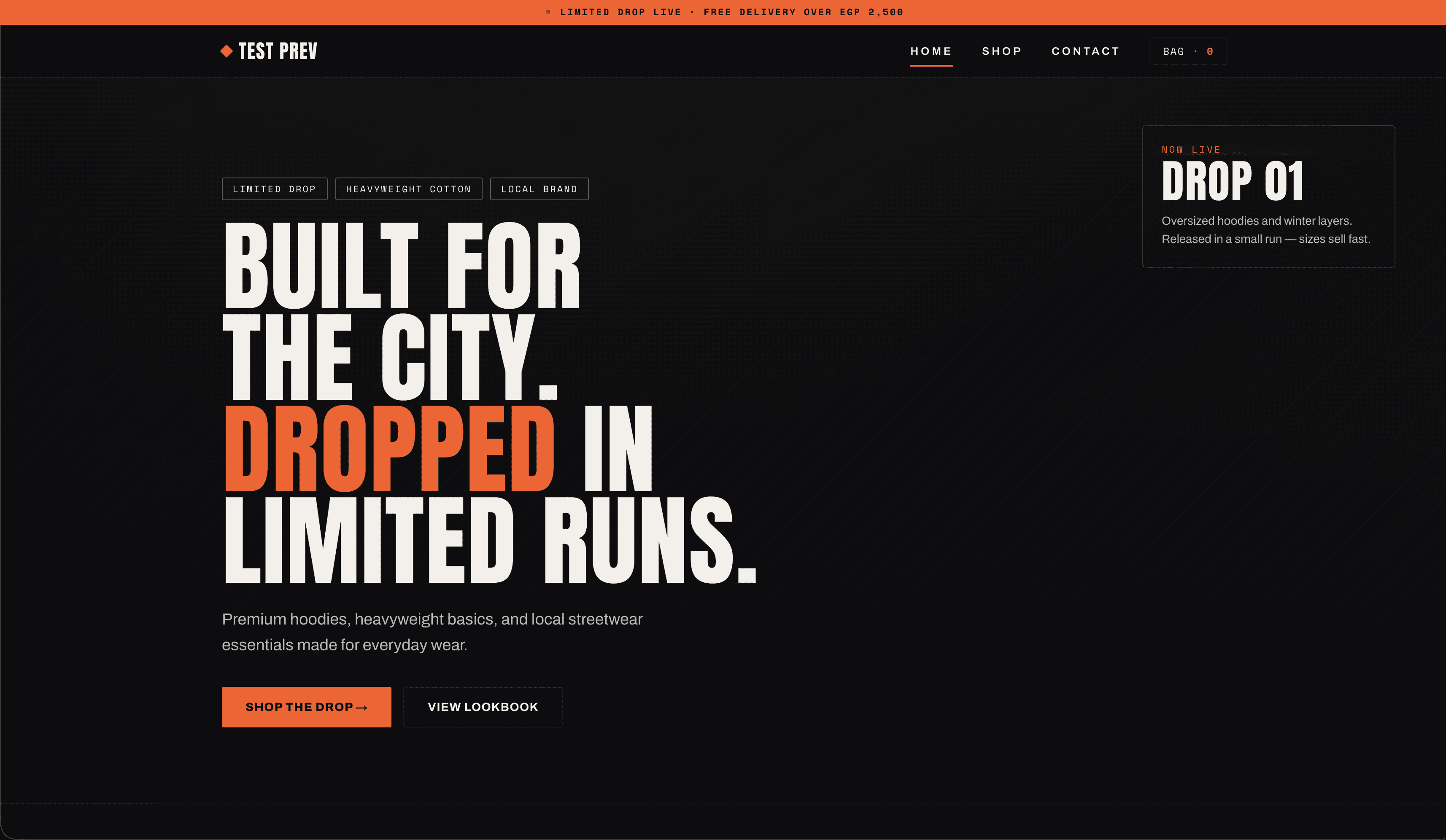
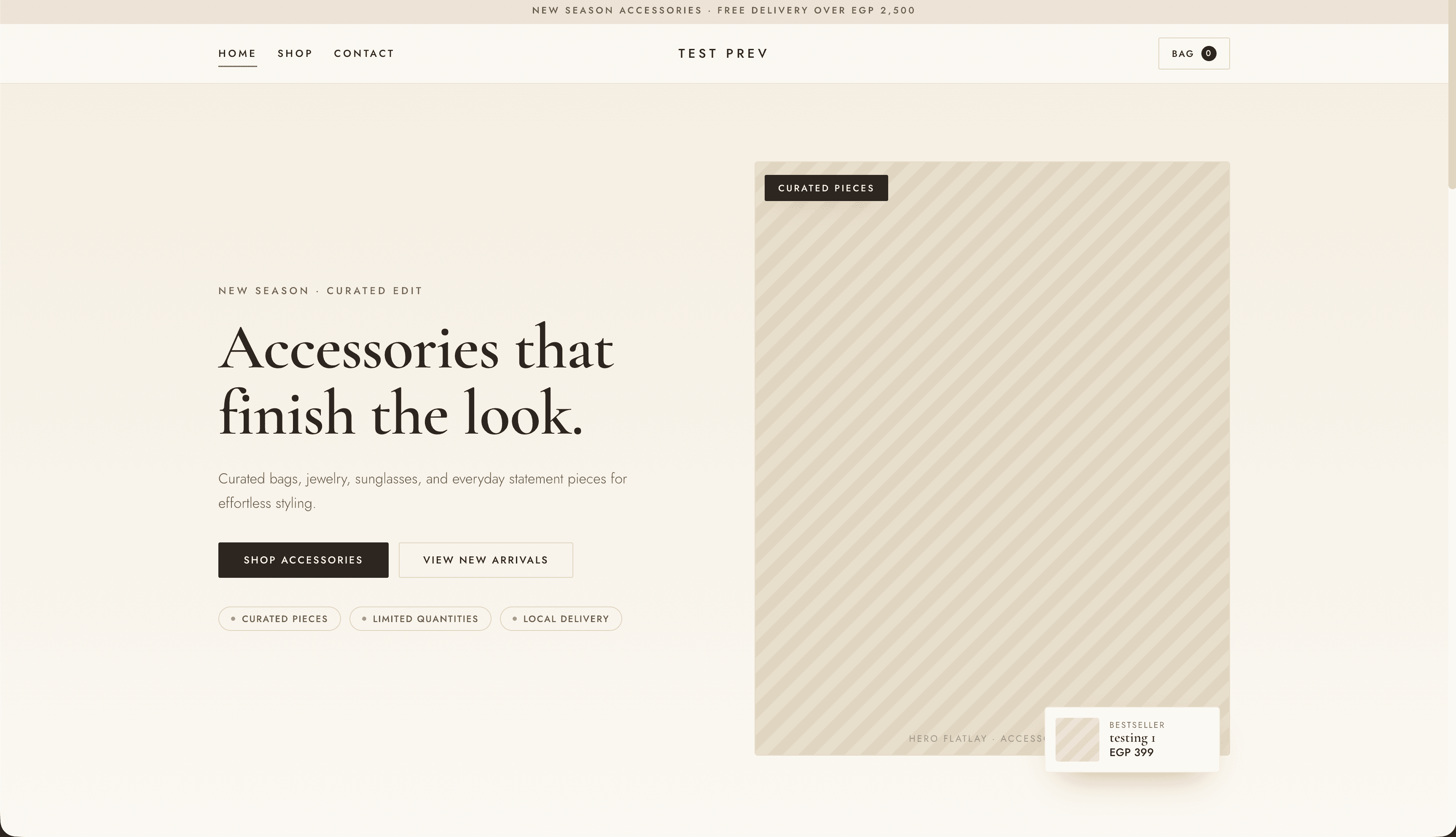
These are shipped Vacto theme implementations—not invented dashboards or customer work. They show the range of structures the service can build on.

District Drop theme preview
District DropUrban streetwear drop — black base, signal orange.
Accessory Atelier theme preview
Accessory AtelierSoft-luxury accessories boutique — ivory & champagne.

Theme editor connection

Custom design, still manageable inside Vacto.

Where supported by the delivered theme, Vacto exposes structured controls for logo, brand text, colors, fonts, hero content, images, buttons, announcement content, section visibility, ordering, and other theme-specific fields.

This is a structured editor architecture—not a promise of arbitrary code, unrestricted drag-and-drop, or every control on every theme.

Typical structured controls

  • Logo and brand text
  • Colors and type choices
  • Hero content and images
  • Buttons and announcement content
  • Section visibility and order
  • Theme-specific fields

The delivered theme determines the exact field set.

Before you submit

Prepare a request the team can review.

Missing or unclear information can pause review while Vacto asks for clarification.

Prepare your theme request
  • An active Vacto store
  • An active Lite or Pro subscription, or an approved exception
  • Clear design references and priorities
  • Logo and brand assets
  • Preferred colors and font direction
  • Required pages and sections
  • Representative products and categories
  • Current contact details
  • Confirmation that submitted assets can legally be used

FAQ

Questions before you request.

These answers follow the current implemented workflow and avoid delivery or revision guarantees.

Is the custom theme included with Pro?

Yes. An active Pro subscription includes one Vacto-managed custom theme implementation request per six-month eligibility period.

How often can Pro stores request one?

Once per six-month eligibility period. Submitting an included request reserves that period's slot. A request rejected by Vacto does not continue to count against the cooldown.

How much does it cost on Lite?

The current canonical price is 500 EGP per request. The seller uploads manual payment proof, and Vacto reviews both the payment and the request before work begins.

Can I send screenshots from another website?

Yes, as a reference. You must have the right to submit the material, and Vacto may adapt it instead of reproducing it exactly.

Will the result be an exact copy?

No exact-copy promise is made. References may be adapted for platform functionality, responsiveness, accessibility, performance, and intellectual-property requirements.

Can I edit the theme afterward?

Where supported by the delivered theme, you can update structured fields such as logo, colors, fonts, hero content, images, buttons, announcement content, and section visibility. Arbitrary drag-and-drop or custom code is not promised.

Does the theme work on mobile?

The implementation is prepared for responsive Vacto storefront layouts. The final result must still be reviewed with the store's real content on mobile and desktop.

How long does implementation take?

The timeline depends on scope, reference quality, queue, review, and required revisions. Vacto confirms the expected timeline after reviewing the request.

Can I request new functionality?

You can describe the need, but this service covers theme implementation within Vacto's supported storefront architecture. New backend features, apps, or unsupported integrations require separate product review.

What happens if my references are incomplete?

Vacto may request missing assets or clarification before accepting or progressing the implementation. Clearer references generally produce a more accurate result.

Can I submit more than one theme request?

Only one request can be open for a store at a time. Pro cannot self-serve another included or paid request during its cooldown. Lite requests are one project per approved payment.

Who owns the images and branding assets I upload?

You remain responsible for having the rights and permissions needed to use every submitted asset. Uploading a reference does not transfer third-party ownership rights or authorize an exact copy.

Ready to prepare the brief?

Make the storefront recognizably yours.

Send the direction, assets, and priorities. Vacto will confirm the scope before implementation begins.